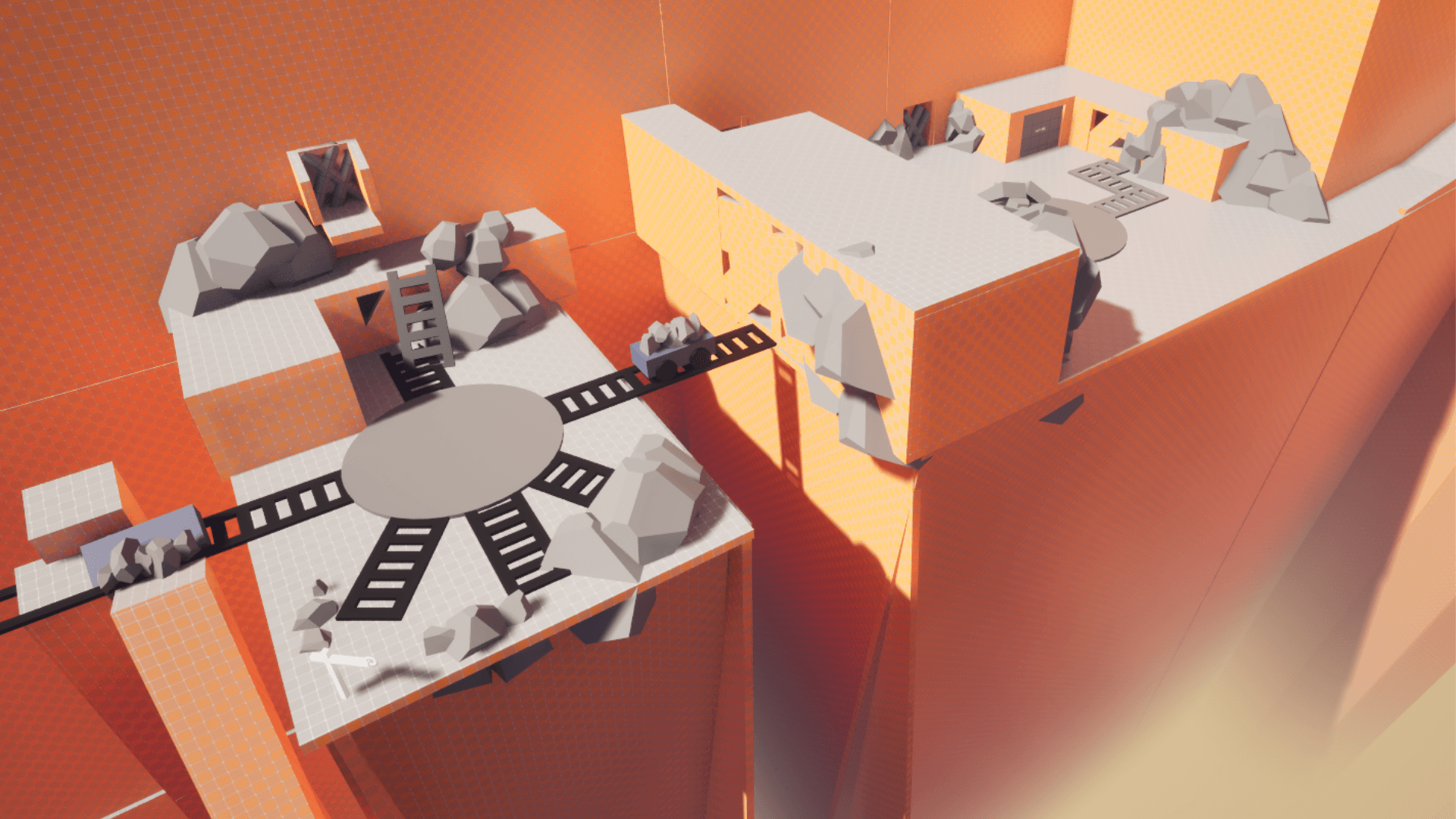
Star Wars: Jedi Fallen Order CDLC
Sept. to Nov. 2024
A 3-month Level Design exercise creating an original level with unique mechanics in Unreal Engine 5 within the Star Wars Jedi universe.
Game Specs
Third Person
Action Adventure
Solo
Production
Technical Designer
26 People
3 Months / ~80h
Unreal Engine 5.4Action AdventureBlueprintsGitTechnical DesignLarge Group Project
Project Overview
Star Wars: Jedi Fallen Order CDLC, given at the beginning of the 3rd school year and spread over 3 months, is originally a Level Design exercise separated into teams of 3 people: 1 Level Designer, 1 Technical Designer and 1 Narrative / System designer, all supervised by an assigned Producer.
The exercise was to take the game Star Wars: Jedi Fallen Order from Respawn Entertainment and design an original level from start to finish with the same intentions while appropriating the Star Wars universe, developing it in the narrative & in the technical aspect in the form of a unique exotic feature.
My group was composed of Emma Haettel as a level designer, Charlotte Cantore as a Narra / System designer, Quentin Bourachot as a Producer / Cinematic designer and myself as a Technical Designer
Technical Overview
Git Management
With a big project like this needing a general base we decided to put everyone on the same Git repo, each group with their dedicated branch, ensuring little to no conflicts.
All Tech Designers have also access to the Tech branch to make global systems, needed by everyone.
When the Tech branch is "Stable" or a new feature is completed we merge it inside the Main Branch before deploying it to all group branches.
The maintenance and management were carried out by Esteban Albert and myself, assisted by some shell scripts to automate the merging process.
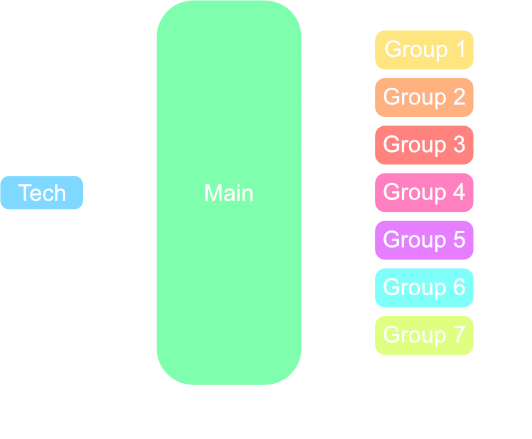
Repository structure and management
Ziplines
One of the assets most used for the backtracking aspect of the game, building this mechanic was easy to re-create and implement.
To simplify even more the work for level designers, zipline poles auto-orient themselves toward the other end.
Ziplines can be deployed by default or need to be activated by the player.
To accomplish that, there is two port of the Zipline, the Start and End pole. the Zipline can be taken from both sides but only activated from the Start pole.
Zipline in action
Wall Run
I recreated the iconic wall run mechanic from the original game. Like the majority of player related movement mechanic, the wallrun code is inside an Actor component to avoid conflicts when editing the Player Character.
The objective was to get as close as possible to the game feeling.
Wall Run in action
Slopes
The slope is a one way traversal element. The character need to be able to jump and move from side to side while sliding on the slope. For level designers the slope is a simple spline to setup. Rail guards are here to ensure the character cannot leave the slope in unintended places.
Slide mechanic on slopes
Doors
Simple level element but highly customizable for level designers who want control and try different scale, I made a tool to change the size and adapt automatically the door frame without deforming it.
Doors have three modes: Automatic, Manual and Key. Manual doors need to be unlocked by the player with a linked button while Automatic doors open when the player is close enough. Key doors unlock only if the player got the corresponding key item.
Door resizing tool in action
Door interactions
Unique feature: Power Boots
The level my team and I worked on needed something to jump higher and travel further distance, hence the "Power Boots" (or jet-boots). The Player character doesn't have the boots equipped by default, he need to take the pickup to use them.
Maintaining the jump button on the ground charge the boost gauge, releasing it make the character perform the super jump. If the player maintain the button while falling the boots will go in gliding mode, draining little by little the gauge.
Power Boots traversal in action
Video Showcase
Full Level Walkthrough
Meet the Team
My Team



Other Team - Level Designers









Other Team - System Designers


Other Team - Narrative Designers

Arthur Verollet
Narrative Designer